


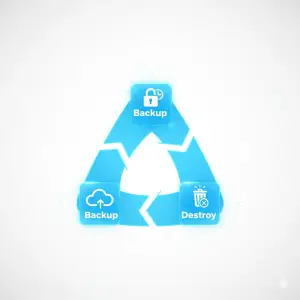
Modern backup strategies do not stop at storing data. It include planning, secure operations, retention enforcement, auditability, and finally data sanitization or destruction. This checklist is based on globally recognized standards that define best practice from the moment data is created until the moment it is securely destroyed.
Core Standards Referenced in This Guide:
- NIST SP 800-88 Revision 2 (Guidelines for Media Sanitization)
This is the leading framework for secure erasure, purge, and physical destruction of storage media.
https://csrc.nist.gov/pubs/sp/800/88/r2/ipd - ISO/IEC 27040:2024 (Storage Security)
This international standard defines secure storage architecture, data lifecycle handling, retention practices, storage media controls, and secure end-of-life requirements.
https://www.iso.org/standard/80194.html
These standards ensure a defensible and auditable lifecycle that runs from backup planning to secure disposal and destruction.
Start With Data Classification
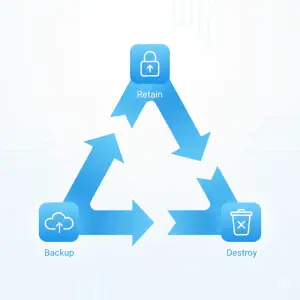
Every backup strategy begins with a clear understanding of what you are protecting. Each data category has different regulatory, operational, and destruction requirements.
Recommended categories:
- Personal and customer data
- Financial and transactional data
- Health records such as EMR and PACS
- Logs, telemetry, and audit trails
- Engineering and seismic long-term project records
- Intellectual property and internal archives
Data classification determines:
- What storage media you should use
- How long you must retain it
- Where you are legally allowed to store it
- How you must sanitize or destroy the media at end of life
This is also the first checkpoint for IT asset disposition (ITAD) and data destruction workflows.
Use the 3-2-1-1-0 Backup Architecture
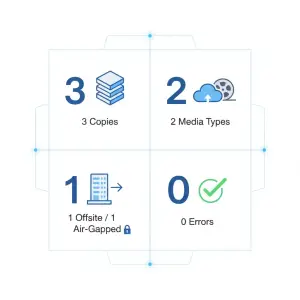
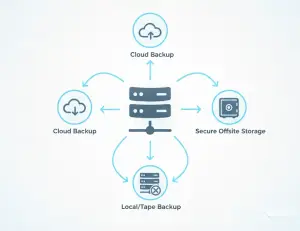
The modern, resilient, and audit-proof backup standard is the 3-2-1-1-0 model.
- Three copies of your data
- Two different media types
- One copy off-site
- One air-gapped or immutable copy
- Zero errors from restore tests
This structure aligns naturally with audit expectations because it forces clarity on:
- Where each copy lives
- Which copies must be immutable
- Which media will eventually need sanitization or destruction
- How your organization will maintain long-term redundancy
What Goes Where: A Practical Mapping of Sectors to Backup Media
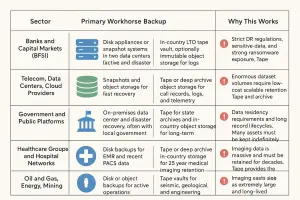
Below is the correct table you requested. It answers who should use what kind of backup, for what reason, based on regulatory pressure, dataset size, and operational reality.
| Sector | Primary Workhorse Backup | Long Term or Offline Copy | Why This Works |
| Banks and Capital Markets (BFSI) | Disk appliances or snapshot systems in two data centers (active and disaster recovery) | In-country LTO tape vault, optionally immutable object storage for logs | Strict DR regulations, sensitive data, and strong ransomware exposure. Tape provides predictable cost and true air-gap protection. |
| Telecom, Data Centers, Cloud Providers | Snapshots and object storage for fast recovery | Tape or deep archive object storage for call records, logs, and telemetry | Enormous dataset volumes require low-cost scalable retention. Tape and archive tiers keep cost manageable while meeting forensic requirements. |
| Government and Public Platforms | On-premises data center and disaster recovery, often with local government cloud | Tape for state archives and in-country object storage for long-term retention | Data residency requirements and long record lifecycles. Many assets must be kept indefinitely. |
| Healthcare Groups and Hospital Networks | Disk backups for EMR and recent PACS data | Tape or deep archive in-country storage for 25 year medical imaging retention | Imaging data is massive and must be retained for decades. Tape provides the best cost-retention balance. |
| Oil and Gas, Energy, Mining | Disk or object backups for active operations | Tape vaults for seismic, geological, and engineering archives | Seismic datasets are extremely large and long lived. Tape remains the industry standard for these workloads. |
Choose Backup Media Based on Lifecycle and Destruction Requirements
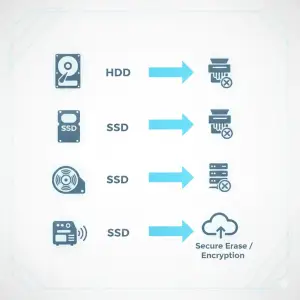
Disk and SSD
- Excellent for fast RTO and RPO
- At retirement, requires secure erase, crypto-erase, or physical destruction
- SSD sanitization is technically difficult which means physical destruction is often preferred
Tape (LTO)
- Optimal for long retention and air-gapping
- Inexpensive per terabyte
- Cartridges used with real data are rarely resold and are normally destroyed through shredding or degaussing
Cloud Storage
- Excellent for immutability and disaster recovery
- Requires strict lifecycle and deletion policies
- Deletion must be auditable and enforced automatically
Each medium has a corresponding end-of-life destruction workflow, which links directly to ITAD compliance.
Store Backups in Legally Compliant Locations
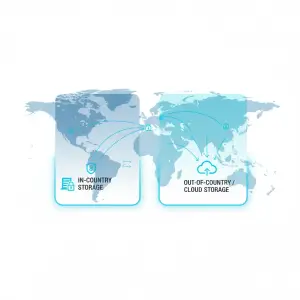
Different industries have different data residency requirements.
Public Sector and Critical National Infrastructure
Backups and disaster recovery copies must remain in-country.
Financial Services
Off-shore disaster recovery may be allowed only with regulatory approval.
Default: keep all sensitive backup copies inside the national jurisdiction.
Private Sector
Cloud is allowed, but your organization must still guarantee regulator access and respect data residence commitments.
Backup storage location affects:
- Legal compliance
- Threat exposure
- ITAD and destruction procedures (for example, media must often be destroyed inside national borders)
Define Retention Windows and Automate Deletion
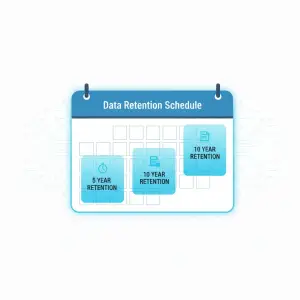
Retention is a compliance requirement.
Typical patterns:
- Five years for general personal data
- Ten years for financial and transactional data
- Twenty five years or more for medical records, seismic data, and engineering archives
Backup systems must:
- Automatically expire data
- Log these deletions
- Trigger media collection and sanitization
- Prepare tapes, disks, or cloud containers for destruction
Retention policies must be enforced by technology rather than manual guesswork.
Plan for Sanitization, Disposal, and Destruction
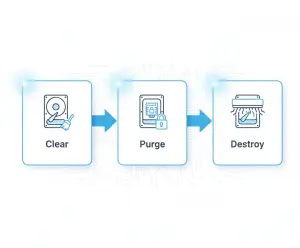
This is the most frequently ignored part of the lifecycle.
Use the following standards:
- NIST SP 800-88 Revision 2 defines Clear, Purge, and Destroy.
- ISO/IEC 27040 defines secure storage, retention, and end-of-life handling.
Resale Rules
- Hard drives and SSDs may be resold after purge-level sanitization.
- Tape cartridges that held real data should be destroyed.
- Tape libraries and servers may be resold after media removal and secure wipe.
Required Evidence for Audits
- Serial numbers
- Chain of custody
- Certificates of sanitization or destruction
- Optional photo or video documentation
Your ITAD partner must provide all of the above.
Common Audit Failures and Their Fixes

Failure 1: Unclear backup locations
Fix: Maintain a Backup Location Register of every data center, vault, cloud region, and storage tier.
Failure 2: Retention policy not enforced
Fix: Automate retention and generate deletion reports every quarter.
Failure 3: Media disposal not tracked
Fix: Create a Media Lifecycle SOP that includes intake, vaulting, recall, sanitization, and destruction.
Failure 4: Off-site storage not auditable
Fix: Require barcode tracking, environmental logs, and chain-of-custody reporting from vault providers.
Failure 5: No restore testing
Fix: Schedule quarterly restore drills with documented results.
Failure 6: Cloud backups are not immutable
Fix: Enable Object Lock, versioning, and MFA Delete.
Failure 7: Hardware resold without sanitization
Fix: Use certified ITAD providers that follow NIST and ISO sanitization standards.
The Complete Lifecycle View
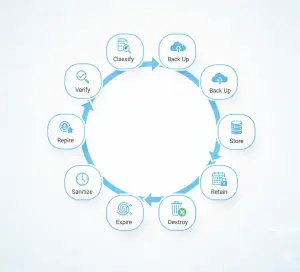
A modern backup strategy is not just “make a copy”. It is a continuous compliance pipeline:
Classify → Back Up → Store → Retain → Monitor → Expire → Sanitize → Destroy → Verify
Organizations that protect both the front half (backup and storage) and the back half (sanitization and destruction) reduce risk, pass audits more easily, and eliminate the chance of sensitive data leaking through retired media.
Contact Eco Beringin to Plan or Execute Secure Backup End-of-Life Actions
If your organization needs to:
- Build a compliant backup architecture
- Review retention and deletion policies
- Sanitize or destroy tapes, disks, SSDs, or entire backup environments
- Perform secure IT asset disposition (ITAD)
- Implement NIST-aligned sanitization workflows
- Empty an old data center or decommission a disaster recovery site
EB can help you plan or execute every stage of your backup end-of-life process.
Contact us to schedule a consultation and ensure your data is retired securely, legally, and with full audit readiness.