


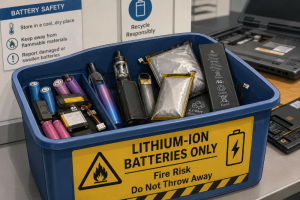
A recent recycling-centre fire in the UK was linked to a damaged lithium-ion battery from a disposable vape. Small device. Wrong bin. Fire crews called in.
Around the same time, a KGMU study reported higher health risks for people living or working near e-waste dumping and recycling areas, including respiratory issues, neurological problems, skin diseases, and longer-term risks linked to toxic exposure.
Indonesia is also paying closer attention to battery recycling as part of its electric-vehicle plans. The country is not only talking about new batteries. It is also looking at what happens when batteries reach the end of their use.
These stories may look separate at first, but they are not. They all point to the same problem: hardware does not stop being a risk when a company stops using it.
A laptop leaves the office with an old hard drive still inside and nobody notices. The employee has moved on, the asset tag is missing, finance already closed the book on it, IT assumes the device was wiped. Compliance assumes there is a certificate somewhere. There isn’t.
That is where many disposal problems begin. In a storage room, under a desk, inside a cardboard box with cables, broken keyboards, spare chargers, and devices nobody wants to touch because they belong to another department.
The ITAD industry is starting to talk about this more directly. Resource Recycling recently described the shift as ITAD moving “beyond end-of-life.”
That is the right discussion to have: by the time a company decides to dispose of old IT assets, the real work should already be done. The serial numbers should be known. The drives should be identified. The battery condition should be checked. The possible resale value should be clear enough. The destruction or wiping method should already have a reason behind it.
The messy version looks different.
A company refreshes 300 laptops, some go back to IT, some stay with employees for a few extra weeks, some are passed to another department. A few are kept “just in case.” Then a year later, someone wants the storage room cleared.
Now the question comes: “What do we do with all this?”
That question should have been asked during procurement.
When a company buys IT hardware, it usually thinks about price, warranty, specs, software, and deployment. Fair enough. Those things matter. But every device being bought will also leave the company one day.
Every laptop, server, phone, tablet, hard drive, SSD, router, and UPS battery will reach the end of its useful life. Some will still have resale value. Some will carry sensitive data. Some will contain parts that need careful handling. Some will be too damaged to reuse.
If disposal is planned only at the end, the company is working with incomplete information and that is where risk grows.
Retired IT assets do not disappear when they leave the office. They go somewhere, then someone handles them, opens them, removes the battery, drive, board, casing, or screen. If that process is informal, the risk is pushed downstream.
Batteries are one part of the problem. The damaged vape battery story is a useful warning because the device was small enough to be ignored. Office hardware has the same kind of blind spot. Laptops, phones, tablets, power banks, UPS units, and swollen batteries often sit in drawers or storage rooms for months.
Data is another part.
Old hardware is easy to underestimate. A retired laptop may still contain HR files, client documents, login tokens, local email archives, cached files, or database exports. A server pulled from a rack may still have drives that were never properly erased. A phone may still contain business chats, photos, contacts, or authentication apps.
Deleting files does not settle the matter. Reformatting does not always settle it either. For some assets, verified wiping is enough. For others, physical destruction is the safer route. The decision should depend on the asset, the data, and what happens next.
Reuse follows one path. Resale follows another. Recycling has its own process. Destruction requires proof.
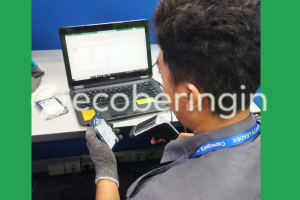
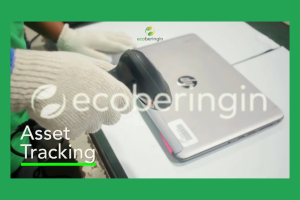
A certificate is useful only when it connects back to the actual asset. A report that says “20 laptops destroyed” is weaker than a report showing serial numbers, media IDs, processing method, date, and responsible party. The same applies to wiping. If a device is cleared for resale, the wiping record should show what was erased, how it was checked, and which asset it belongs to.
This is why procurement, IT, finance, compliance, and sustainability teams should agree on disposal requirements before the first device is issued.
- What happens when an employee leaves?
- What happens when a laptop is damaged?
- What happens when a server is decommissioned?
- Who confirms whether a device can be resold?
- Who approves destruction?
- Who receives the certificate?
- Who checks that the asset list and the destruction list match?
These questions are practical. They become very real when a company has hundreds of devices waiting in a back room and an audit date getting closer.
There is also money sitting in this process.
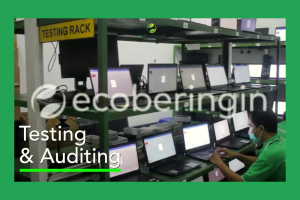
Some retired IT assets still have resale value if they are handled properly, tested, wiped, and refurbished while they are still relevant. Wait too long, and the value drops. Store devices badly, and damage increases. Lose track of chargers or parts, and resale becomes harder. Keep everything in a room for years, and the company turns usable assets into dead stock.
A cleaner disposal process helps finance recover value where possible. It helps IT remove risk without wasting time. It gives compliance documents they can stand behind. It gives sustainability teams better reporting than broad estimates.
Most companies need nothing more than a clean habit.
Record the assets properly. Decide disposal requirements early. Separate devices with storage media from general electronics. Identify batteries and damaged equipment. Keep the chain of custody clear. Use certified wiping or destruction where needed. Make sure certificates match the actual items processed. That is the work.
A good IT asset disposal process should feel controlled, traceable, and slightly dull. The problems usually start when the process depends on memory, assumptions, and a storage room nobody wants to open.
The next time your company buys a batch of laptops, ask one more question before signing the purchase order:
“When these leave the company, how will we prove they left safely?”
Sources
- Resource Recycling, “ITAD is moving past its adolescent phase: beyond end-of-life” https://resource-recycling.com/e-scrap/2026/06/10/itad-is-moving-past-its-adolescent-phase-beyond-end-of-life/
- Times of India, “KGMU study flags serious health risks from e-waste” https://timesofindia.indiatimes.com/city/lucknow/kgmu-study-flags-serious-health-risks-from-e-waste/articleshow/132170395.cms
- Circular Online, “Major recycling centre fire caused by disposable vape, fire service says” https://www.circularonline.co.uk/news/major-recycling-centre-fire-caused-by-disposable-vape-fire-service-says/
- Antara News, “Indonesia eyes battery recycling to sustain EV growth” https://en.antaranews.com/news/420301/indonesia-eyes-battery-recycling-to-sustain-ev-growth